Safeharbour Risk Manager · Risk management platform

Record, treat and monitor business risk.

A single platform that brings your risk register, continuity planning, projects and incidents together — so your organisation stays resilient when conditions change.

// The risk lifecycle
01

Record

Capture risks in a structured register with owners, likelihood, impact and scoring.

02

Treat

Assign controls and treatment actions, track progress and reduce residual exposure.

03

Monitor

Watch trends, review on schedule and report risk posture to leadership with confidence.

// Everything in one platform

Built for how risk teams really work.

18 connected capabilitiesOne source of truthBuilt for teams of every size
01
01Core risk workflow

Turn identified risks into accountable action.

Capture the full context of each risk, decide how it should be treated and give every control a clear owner.

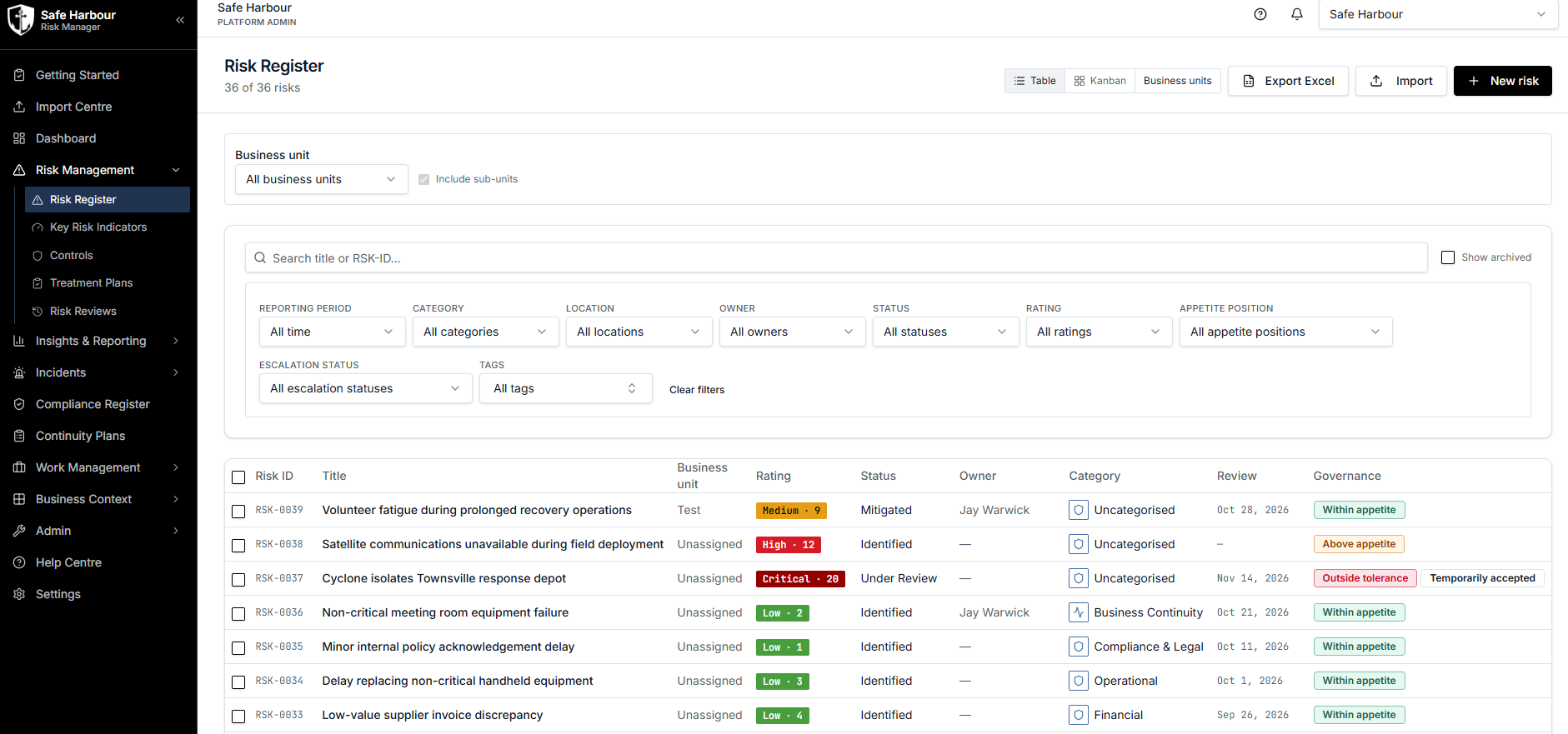
Risk register

Record and share business risks, apply scoring and enrich every record with attachments, notes, tags, categories and supporting detail.

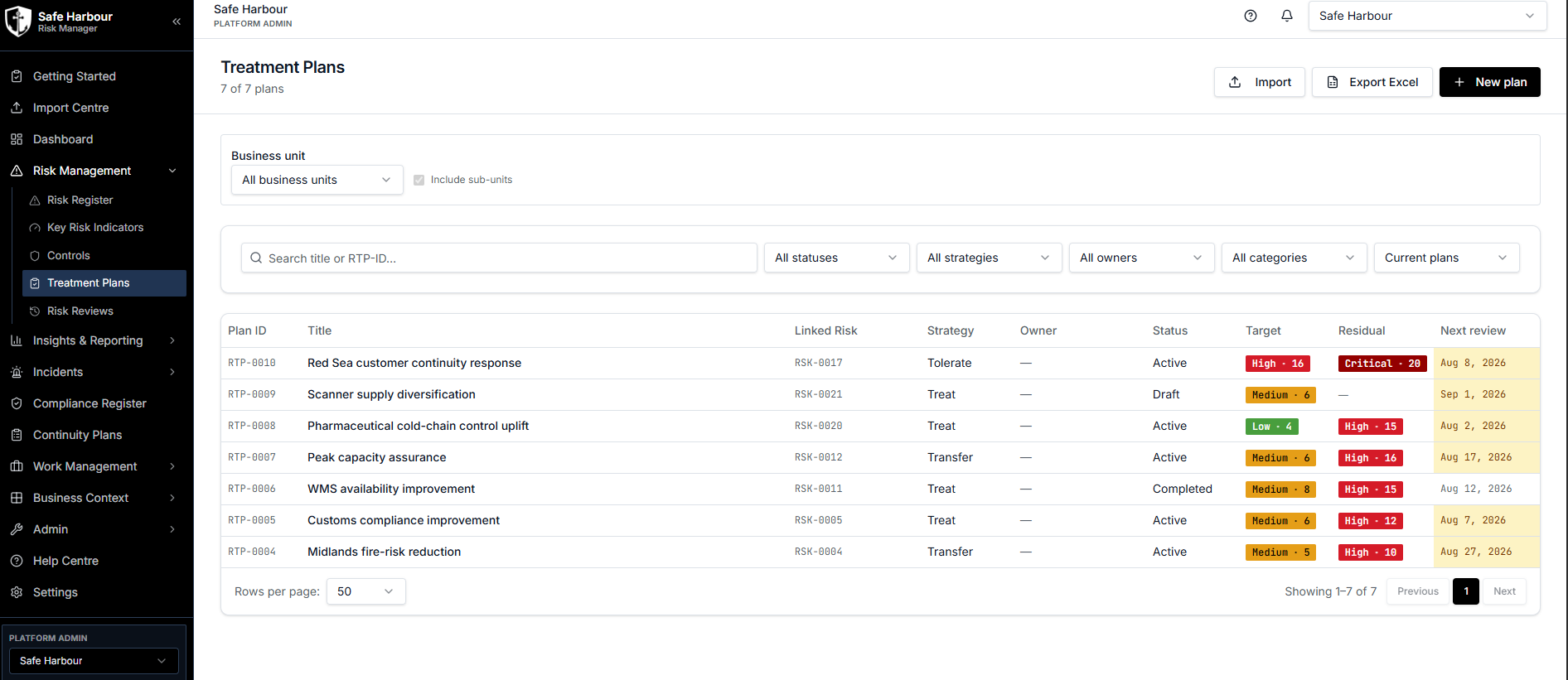
Treatment plans

Create treatment plans, link them directly to risks and track the work being done to reduce exposure.

Risk controls

Create preventive and detective controls, connect them to relevant risks and assign ownership and responsibility across the team.
02
02Reporting & views

See risk posture from every angle.

Move from operational detail to leadership reporting with live dashboards, flexible views and export-ready registers.

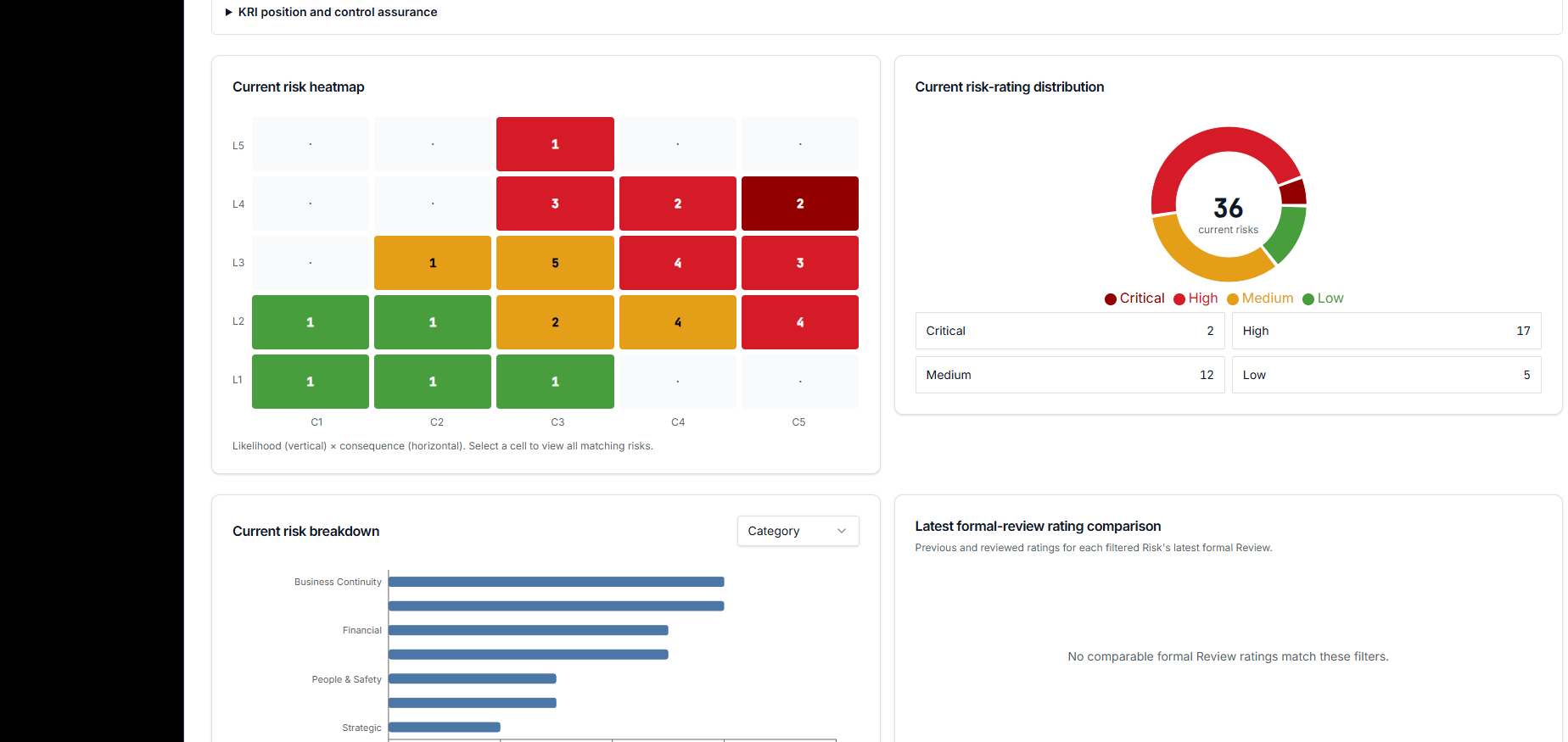
Live risk dashboards

Visualise heat maps, matrix scores, risk movement over time and severity indicators as your register changes.

Flexible register views

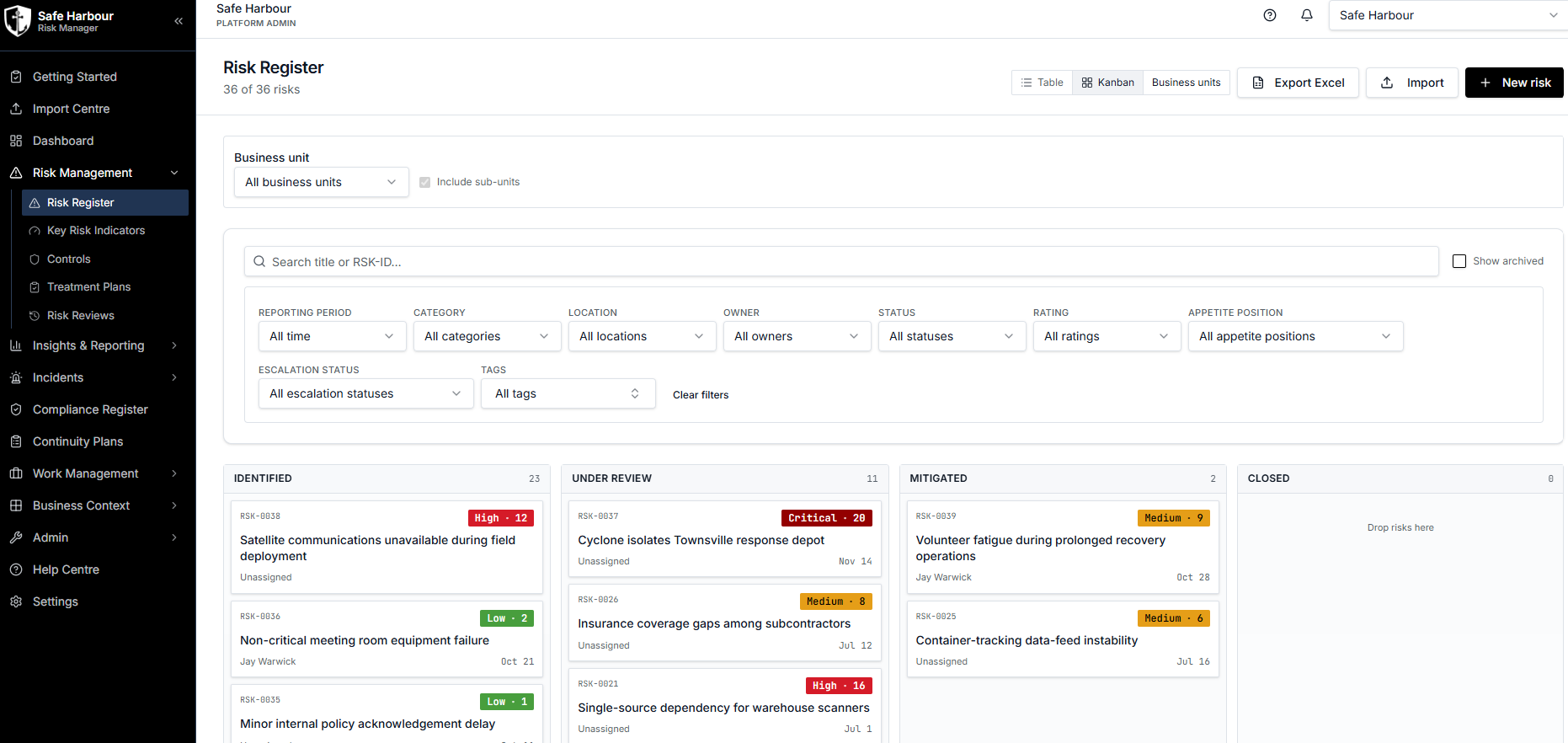
Switch between list, Kanban and matrix views to suit reporting, workflow and dashboard preferences.

External reporting

Export polished risk reports as PDF files and complete risk registers as XLSX workbooks for stakeholders and auditors.

03
03Incidents & compliance

Stay ahead of incidents and obligations.

Maintain a connected record of operational events, supplier compliance and the deadlines that demand attention.

Incident register

Record and manage incidents through their lifecycle, including files, notes, tags, categories and other critical evidence.

Compliance records

Track organisational and supplier certifications and licences, monitor expiry dates, set criticality and organise records with tags.

Proactive notifications

Alert the right users when compliance records approach expiry, severe records need attention or tasks and projects become overdue.

04
04Resilience planning

Prepare for disruption before it happens.

Connect strategic analysis and continuity planning to the suppliers, sites and scenarios your organisation depends on.

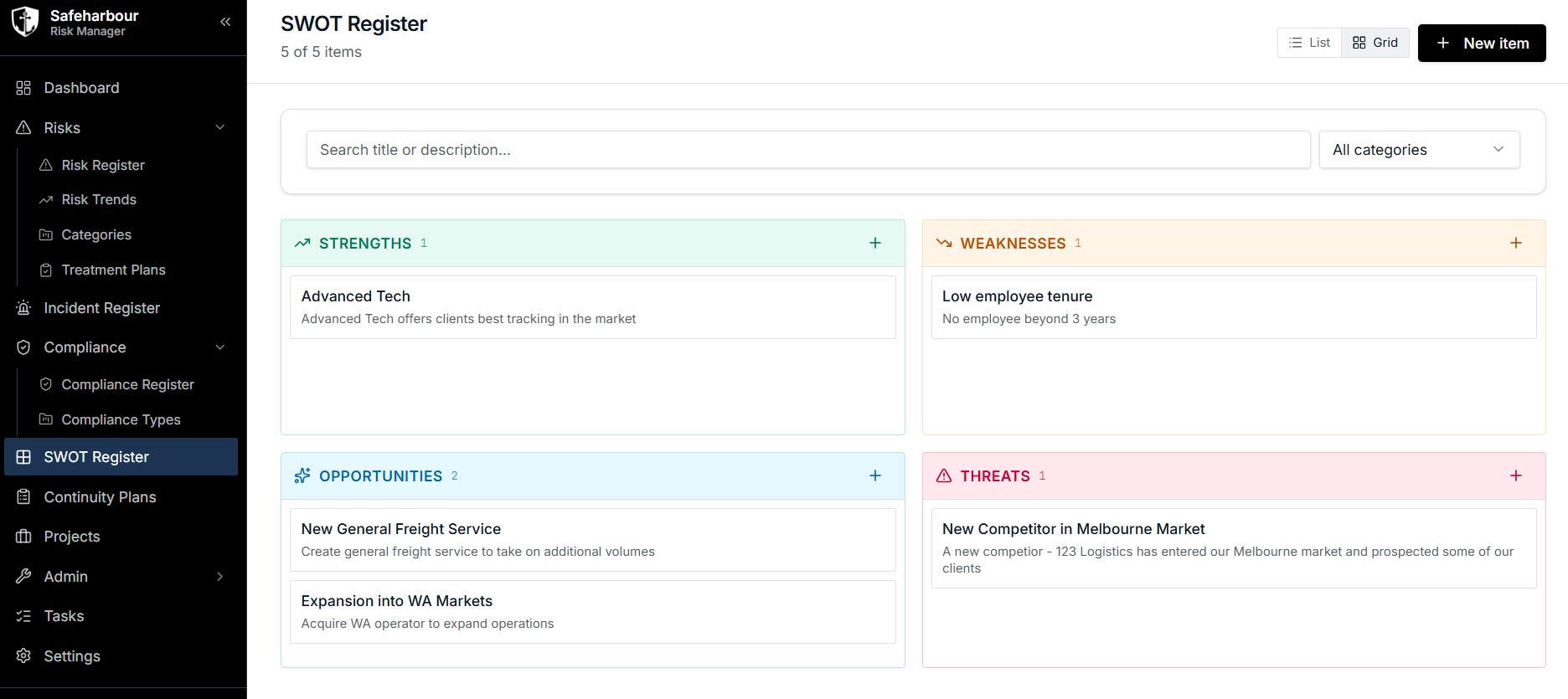
Interactive SWOT

Manage strengths, weaknesses, opportunities and threats through an interactive register and visual matrix tool.

BCPs & scenarios

Create Business Continuity Plans and risk scenarios to test disruption, prepare mitigation and document the response.

Suppliers & locations

Associate risks, incidents and continuity plans with the specific suppliers and locations they may affect.

05
05Delivery & governance

Put your risk framework into practice.

Translate governance settings into coordinated work for risk, quality and occupational health and safety teams.

Projects & tasks

Plan risk, quality and OHS initiatives, assign tasks, track delivery and link dependencies across projects.

Risk framework settings

Set organisational risk tolerances and thresholds so scoring and workflow reflect your preferred risk framework.

Advanced tagging

Use system-wide tags to connect records, shape reports and categorise information around your organisation’s own structure.

06
06Connected workspace

Make adoption simple for every user.

Give teams a secure, supported workspace that is straightforward to administer and ready wherever work happens.

Users & administration

Invite users, appoint additional organisational administrators and manage billing without leaving the application.

Inbuilt help centre

Give users direct access to practical guidance on the platform’s functions so they can learn in the flow of work.

Multi-device access

Work across desktop, tablet and mobile through interfaces designed to remain clear and usable on every screen size.

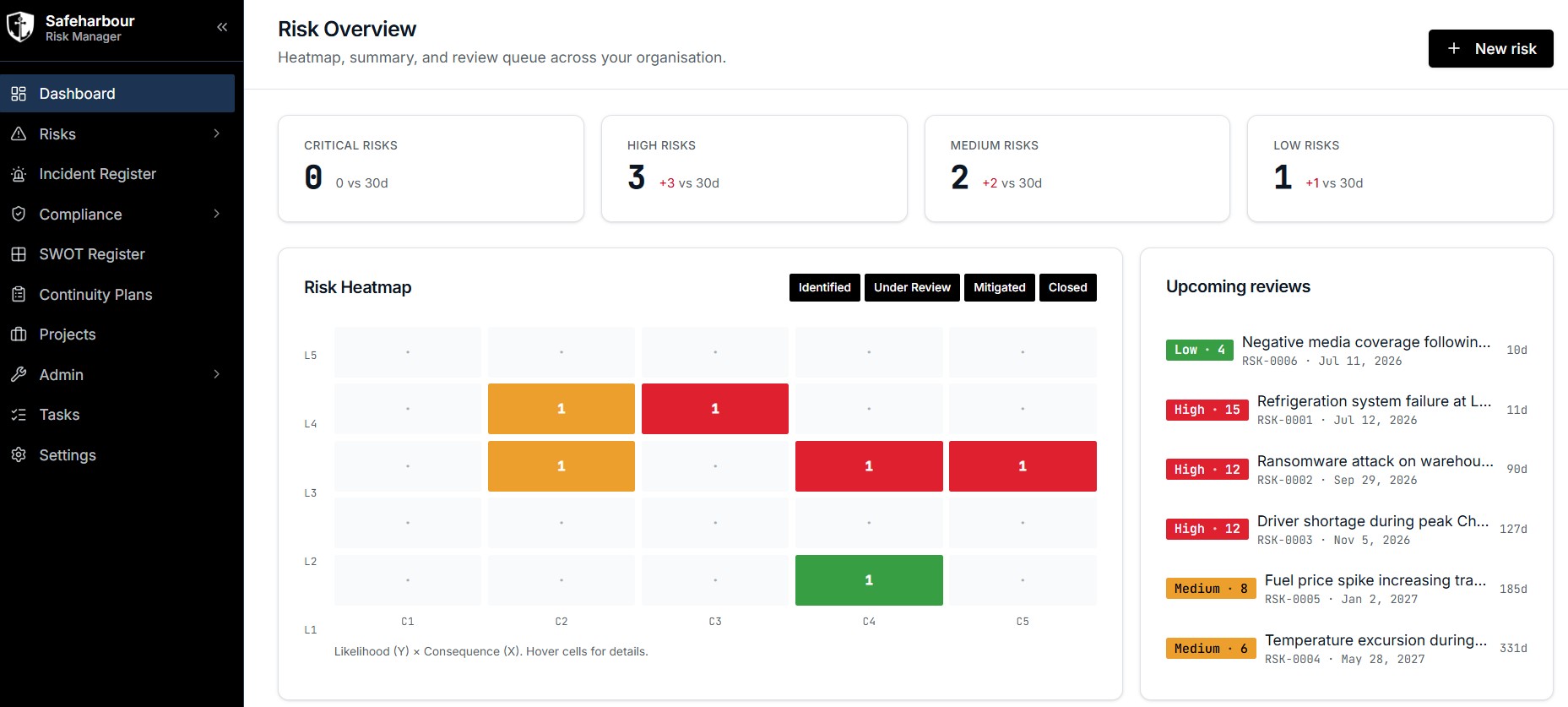
// Risk dashboard

A live picture of every risk you carry.

Score, prioritise and track risks across the organisation — with the heatmap, review queue and treatment status always in view.

Likelihood × consequence heat maps
Critical, high, medium and low summaries
Upcoming review queue and owners
Audit trail across the full lifecycle
RISK MANAGER · RISK OVERVIEW
Risk Overview dashboard with heatmap, risk summaries and upcoming reviews
// Inside Risk Manager

One platform, every module.

RISK REGISTERTABLE
Risk Register table view with filters, ratings, status, owners and review dates
KANBAN BOARDTRACK
Risk Register kanban view with identified, under review, mitigated and closed columns
SWOT REGISTERANALYSE
SWOT Register grid with strengths, weaknesses, opportunities and threats
// Risk Manager pricing

Plans that scale with your organisation.

// Frequently asked questions

Clear answers before you get started.

Everything you need to know about Risk Manager, your subscription and managing your organisation’s workspace.

Still have a question? Contact us →
01How much does it cost per user?

Risk Manager has one monthly organisational price with unlimited users. Visit our pricing page for the latest pricing.

02Is there a free trial?

Yes. Visit the Risk Manager pricing table and select the free trial option offered during sign-up.

03Can I cancel anytime?

Yes. Month-to-month plans can be cancelled directly through the application in any month, without delay.

04How many risks can I add?

Unlimited. We do not place caps on the number of risks you can add.

05Can I export my own data and records?

Yes. You can export your data yourself or contact us for a custom export. Your data is always yours.

06Is the application mobile friendly?

Yes. All Safeharbour applications and functions are designed to work across desktop, tablet and mobile devices.

07Do I need to do a demo before signing up?

No. You can sign up online at any time and use our free trial options to explore Risk Manager before purchasing.

08Can I manage users myself?

Yes. Your organisation administrator can add and remove users, and reassign permissions.

09Can I manage projects within the app?

Yes. A dedicated projects and tasks module helps your teams coordinate more work within the application environment.

10Can I manage SWOT within the app?

Yes. Risk Manager includes a dedicated interactive SWOT register for managing strengths, weaknesses, opportunities and threats.

11What are Business Continuity Plans?

Business Continuity Plans, or BCPs, document the actions your organisation should take when specific disruption scenarios occur.

12Do you offer custom features for enterprise clients?

Yes. We can tailor features to your organisation’s needs. Get in touch through our contact page or email support@safeharboursct.com.

Take control of your risk.

SAFEHARBOUR

Software and intelligence that helps organisations see supply chain disruption coming — and manage the risks that follow.

Platforms
Company
Get started
© 2026 Safeharbour Supply Chain Technologies